
infra CONVERT
blue DAT • infra DAT
mdm TOOL
infra CONVERT
blue DAT • infra DAT
mdm TOOL


This is an old revision of the document!
With this function, you can create a new test plan version (target) based on an existing test plan version (source) within a project. In this way, you can create an adjusted test plan for a new version of a drawing with minimal effort. Only new or edited characteristics must be stamped again.
| Step | Action | Result | |
|---|---|---|---|
| 1 | Invoke function | In the “Project overview” function window, right-click on the target drawing sheet for which you wish to transfer the test characteristics into the test plan. In the context menu that opens, click on Compare drawing sheet ( ): ):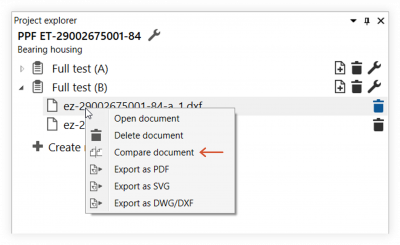 | This opens the “Compare drawing sheet versions” dialogue window. It will show you a list of the source drawing sheets available for comparison: 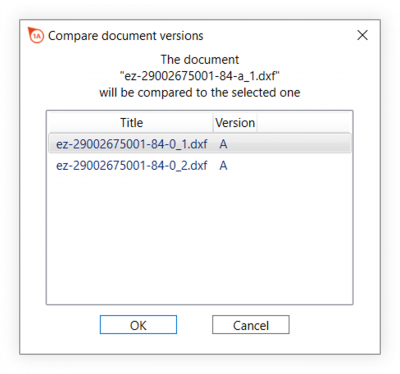 Note A source drawing sheet must have a different test plan version assigned to it than the target drawing sheet version. |
| 2 | Select source | Select the corresponding drawing sheet and click on OK. | The working area will be transformed. As described under User interface > Function window > Drawing comparison, the source and target drawing windows will be displayed alongside one another: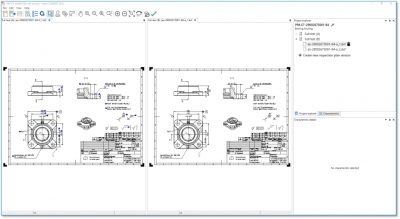 |
| 3 | Apply characteristics | Click on the Apply characteristics button ( ) in the toolbar to automatically compare all characteristics. ) in the toolbar to automatically compare all characteristics. | All characteristics that do not meet one of the following criteria will be applied. Characteristics - with a modified property, - that no longer exist, - have been extracted from text blocks - must be stamped as a group or - must be added manually, will not be applied. |
| 4 | Close function window | Close the function via by clicking Exit drawing comparison ( ) in the toolbar. ) in the toolbar.Note You can go back at any point to view the comparisons made and to edit them further. To do so, invoke the function as described under step 1. | The drawing window opens with the target drawing sheet. You can continue working as usual here. |
You can influence the function with the following settings:
Manually inserted characteristics
Specify whether manually inserted characteristics are to be transferred automatically during transfer. (Available from program version 1.2.1.6.)
See Settings > Settings > Stamp > Group „Transfer of manually inserted characteristics during drawing comparison“


